Custom Invites
Survey administrators can fully customize their invitations to online
surveys via Zarca's Distribution Manager.
Subject Line, Email Address, Body Content, Colors and Images
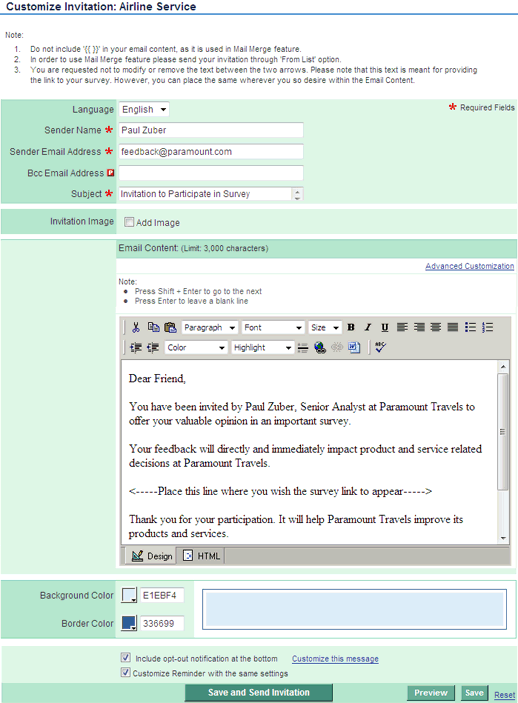
Users can customize the sender's name and the email address that will
receive replies (the sender's email). Likewise, you can easily customize the
subject line and the content of the email invite to maximize the chances
that recipients will open the email and proceed with the survey. You can
modify the font type and the color of the invite, as well as add images and
format the background colors.
Opt-Outs and Mail-Merge
Users can also choose to include a customized opt-out message with the
invite. To give your invites a personal touch, you can implement the
Mail-Merge feature, which pre-populates personal information like name,
title, company, etc., directly into the invite.
Effective Invites Boost Response Rates
The real objective of customizing invitations to take surveys is to increase
response rates. If the recipients of your invites trust that the subject
line indicates it’s not Spam, they will most likely open your invite. If you
customize the tone and appearance of the body of your invite, people will
most likely click through and proceed with taking your survey.
Below is the “Customize Invitation” page, where users can modify a range of invite attributes to maximize recipient participation