Data is not valuable or useful when it is skewed, or of low-quality.
Low-quality data derives from respondent bias when answering a question.
Zarca’s intelligent survey software preserves quality survey data through:
+Data Validation
- The system validates responses for Numeric Allocation, Open-Ended and Date
survey questions and a range of other Data Types (currency, time, units
etc.).
Data validation ensures quality survey data from participants (e.g. When
entering their age, a participant accidentally adds a zero to 30, yielding
an answer of 300. The system recognizes this is not within the specified age
range and prompts the respondent to re-enter their age).
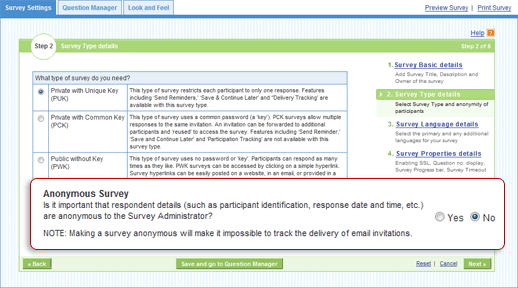
+Anonymity
- Respondents’ personally identifiable information is not viewable in an
anonymous survey. This allows them to be constructive and provide more
direct, quality survey data since there is no fear of being viewed
negatively by those administering the survey (e.g. Management Critique
Survey).
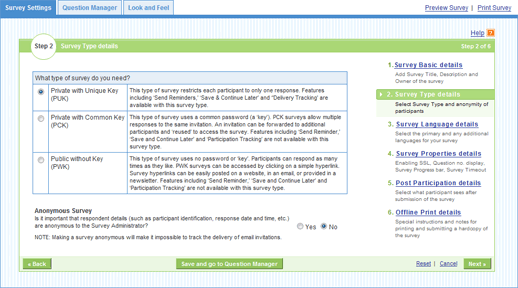
+One Response Per Respondent
- By making a survey type Private, those sent an invitation can only
complete the questionnaire once. This prevents instances of
“ballot-box-stuffing”, which is the intentional participation of a survey,
multiple times, to skew the results in a desired direction.
+Survey Expiration
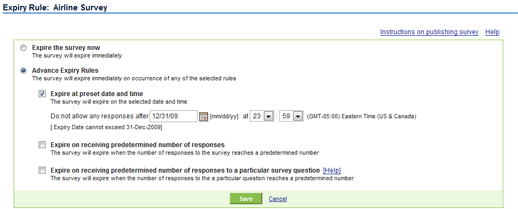
- When the time of year that a survey is launched has a direct effect on the
results it produces, survey administrators are keen to set Survey Expiry
Rules, which determine the date a survey is no longer active.
For example, a survey on the winter product line deployed by a clothing
retailer should expire no later than early spring because by this time,
their customers focus will be on purchasing clothes for the upcoming spring
and summer months.