
The Look and Feel section of the Survey Manager module offers users a
comprehensive tool for creating and customizing the appearance of their
surveys to the smallest detail.
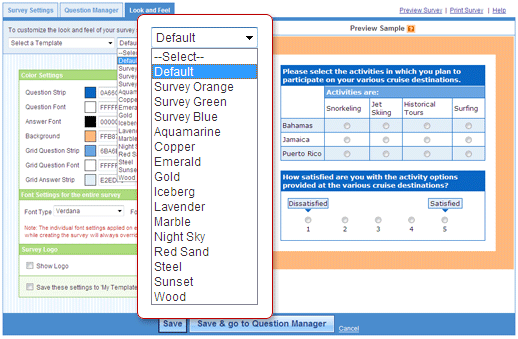
Default and Saved Survey Template
At times, you many not have a lot of time or wish to not customize your own
survey template. In this case, simply choose from among a long list of
pre-designed samples created by certified survey professionals.
Customize Survey Template
Strategically aligning the branding of a survey with the organization deploying it portrays a high-level of credibility and professionalism.
Our advanced look and feel options allow you to:
- Format color settings
- Format fonts
- Add logos
- Match color template to a website
- Save a frequently used survey template
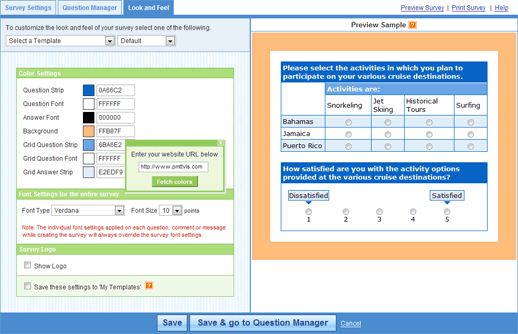
Creating a Survey Template: