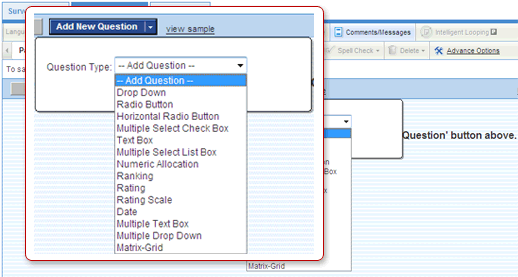
Utilizing a diverse mix of survey question types can:
- Conserve valuable space on surveys and increase response rates
- Provide targeted responses from participants
- Vary the look and feel of surveys
- Drop-Down
- Radio Button
- Horizontal Radio Button
- Multiple Select Check Box
- Multiple Select List Box
- Numeric Allocation
- Ranking
- Rating
- Rating Scale
- Text Box
- Date
- Multiple Text Box
- Multiple Drop-Down
- Group Grid Rating Radio Button
- Group Grid Rating Drop-Down
- Group Grid Rating Scale
- Group Grid Radio Button
- Group Grid Multiple Select Check Box
- Group Grid Stand-Alone Radio Button
- Group Grid Stand-Alone Multiple Select Check Box
- Matrix Grid